
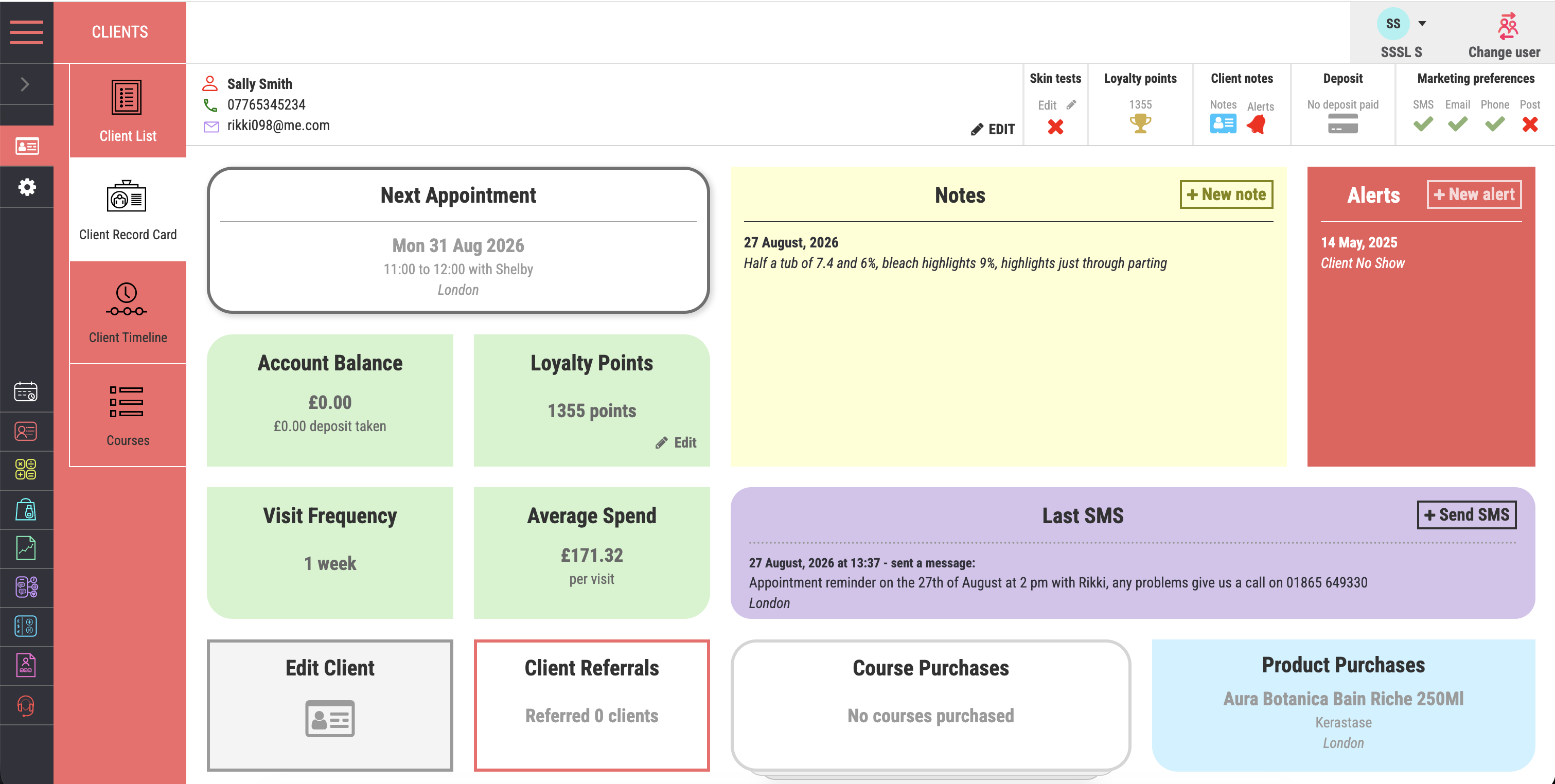

Customer timeline
See past visits and bills, future bookings, sent text messages and purchased courses in one chronological view.
Client records & relationships
Salon Manager software connects salon CRM, bookings and checkout in one salon software system for hair and beauty businesses. Keep client history, colour formulas, consultation forms, purchases and communication together. This online salon management system helps authorised team members prepare for appointments and provide consistent care.
A personal walkthrough • UK support • No obligation
Built around the working day
A client might see a different stylist, change their usual treatment or ask about a product they bought months ago. A useful client record brings the relevant history together. Your team can spend less time searching and more time listening to what the client needs today.
Make every returning client feel recognised, whoever welcomes them. Our all-in-one software keeps preferences, previous visits and consultation records close to the appointment. Premium salons can deliver more personal service without searching separate systems. Shared records help multi-location teams carry that care between salons and identify relevant opportunities for repeat visits.
Good service starts before the conversation.
A shared client record is central to an online salon management system. Keep formulas, preferences, alerts and signed forms close to the appointment. Your salon booking software and salon CRM connect each visit with the client’s history. An AI salon receptionist can use connected records to recognise returning callers.
See how this connects with your digital consultation forms.
Personal service starts with the first hello
Make the first conversation feel as personal as the visit. When an incoming phone number matches an existing client record in your salon CRM, the AI receptionist can recognise the returning caller and greet them by name.
The receptionist works with the live diary in your salon software system, keeping routine appointment calls connected with bookings and client records.
The tools your team will use
See past visits and bills, future bookings, sent text messages and purchased courses in one chronological view.
View courses purchased, their original value, sessions already used and what remains.
Open completed digital consultation forms and signed records directly from the client profile.
Record the client’s email and SMS choices so communication follows their preferences.
Add extra time for a client with long or thick hair. Apply it automatically to future appointments made through your salon booking system.
Keep the service details the team needs to prepare properly and deliver a consistent result.
Show important client information clearly when the team opens or books from the record.
Track loyalty activity and give returning clients another reason to book again. Salon loyalty program software keeps rewards connected to the client relationship.
Review services, retail products, vouchers and account activity without searching through separate records.
Connect client follow-up with supported review requests through Salon Spy or Google. Give satisfied clients a clear route to share feedback after their visit. Salon reputation management connects review requests with the wider client journey.
From features to everyday work
| Client detail | When it helps | Connected task |
|---|---|---|
| Preferences and formulas | Before the service begins. | Prepare for a consistent visit. |
| Consultation answers | When a professional reviews treatment suitability. | Open the completed form and relevant history. |
| Course and purchase history | At checkout or when discussing the next visit. | Check what was bought, used or remains. |
| Contact preferences | Before a campaign or follow-up message. | Respect email and SMS choices. |
| Booking settings | When a client needs extra service time. | Apply the relevant client-specific booking rules. |
Set user access to suit each role. Client records are useful when the information is accurate, relevant and available to the people who need it.
Make it work your way
Add accurate contact details and available history. Our team can review which data can be moved from your current system.
Attach appointments, forms, formulas, purchases and communications to the correct record. Check details as clients return.
Apply suitable permissions. Use relevant information to prepare visits, support rebooking and send appropriate follow-up.
Salon software UK
The best salon software for client care should make useful history easy for the right people to find. In your demo, open a returning client’s last colour formula, review their consultation and check a previous purchase. Then book the next visit and record new notes. Compare salon software options against that same journey, including permissions and communication preferences.
When choosing salon software for groups, agree which client information should be shared between locations. Test the access available to a team member, salon manager and head-office user.
This salon CRM is part of our online salon management system. Explore the wider salon software system through connected salon software features, salon booking software and packages and inclusions.
Frequently asked questions
Clear answers about client records & relationships, before you choose your setup.
Have a workflow we have not covered? Talk it through in your demo.
Build your connected salon
Keep signed answers with the client history.
Use relevant client information for follow-up.
Review access levels, 2FA and device controls.
Your salon. Your workflows.
Bring a first visit, a returning colour client or a follow-up challenge. We will show the record your team uses before, during and after the appointment.


